Every week, another tool promises to think for you.
Every month, another framework claims it will 10x your output.
Every quarter, you reorganize your workflow around something new and end up roughly where you started.
This is not a productivity problem. It is a system problem. And no AI solves it.
The Quiet Failure of the AI-First Workflow
In 2026, the most common productivity trap is not laziness. It is sophistication.
Professionals and entrepreneurs are running four AI tools in parallel, subscribing to two automation platforms, and managing a Notion workspace so elaborate it requires its own documentation. The setup looks powerful. The output, quietly, does not match.
The reason is structural. AI is an engine. It amplifies whatever system it is plugged into. If your system is fragmented, unclear, or built on shifting decisions, AI makes you move faster in the wrong direction. The problem was never the horsepower. It was the absence of a steering wheel.
A sovereign workflow fixes that. It is a personal system that runs on your logic, your constraints, and your rhythm, with or without an internet connection, with or without the latest model update, with or without a subscription that just increased in price.
The Feedback Loop: Why the Notebook Still Wins
There is a particular kind of thinking that happens only with a pen in hand.
Not drafting. Not note-taking. Strategic thinking, the kind where you are working something out in real time, following a thought wherever it leads without the structure of a template or the interruption of a cursor blinking in a text field.
Digital planning tools are excellent at capturing decisions that have already been made. They are weak at helping you make them. The notebook does the opposite. It offers no autocomplete, no suggested next steps, no AI summary of what you just wrote. It offers only resistance, the productive kind, that slows your hand just enough for your mind to stay ahead of it.
For strategic planning, weekly reviews, and any decision that carries real weight, physical writing creates a feedback loop that screen-based tools cannot replicate. The act of writing by hand encodes information differently. Research in educational psychology consistently shows stronger retention and deeper processing for handwritten notes compared to typed ones.
The point is not to be analog. The point is to use the right tool for the right kind of thinking. A notebook is not a step backward. It is a precision instrument for the specific work that matters most.
Tool Consolidation: The Hidden Cost of Smart Tools
Every tool you add to your workflow requires maintenance.
Not technical maintenance, cognitive maintenance. You need to remember it exists, remember what it is for, remember where things live inside it, and remember to check it when it is relevant. That overhead is small per tool and significant in aggregate.
Most knowledge workers in 2026 are running workflows with two to three times more tools than they need. They adopted each one for a legitimate reason. A better notes app, a smarter calendar, an AI meeting summarizer, a project tracker with more flexibility. Each decision made sense in isolation. Together, they create a system that requires as much energy to manage as the actual work it is supposed to support.
Tool consolidation is not about minimalism as an aesthetic. It is about reducing friction at the source.
The questions worth asking:
- Does this tool replace something I was already doing, or add a new behavior?
- Can I access what I need from this tool in under ten seconds?
- If this service went down tomorrow, would my work stop?
Sharp tools do one thing with no waste. A codebase built in a framework you know deeply runs better than one assembled from whatever was trending when each feature was added. The same logic applies to every layer of a professional workflow.
Low-Friction Productivity: The 30-Second Launch
There is a practical test for whether your workflow is well-designed: how long does it take to start working on your most important task?
If the answer involves opening five apps, finding the right document, remembering where you left off, and clearing the notifications that accumulated since yesterday, your system is making you negotiate with it before you can do anything. That negotiation is not neutral. It costs energy, and it costs it at the moment when your focus is freshest.
A low-friction workflow is designed so that starting is the easiest possible action. Everything needed for the next task is already open, already named, already in the right place. The environment is configured once, not rebuilt every morning.
Practical principles that work:
- Keep one active project folder pinned at the top of everything: browser, file system, task manager.
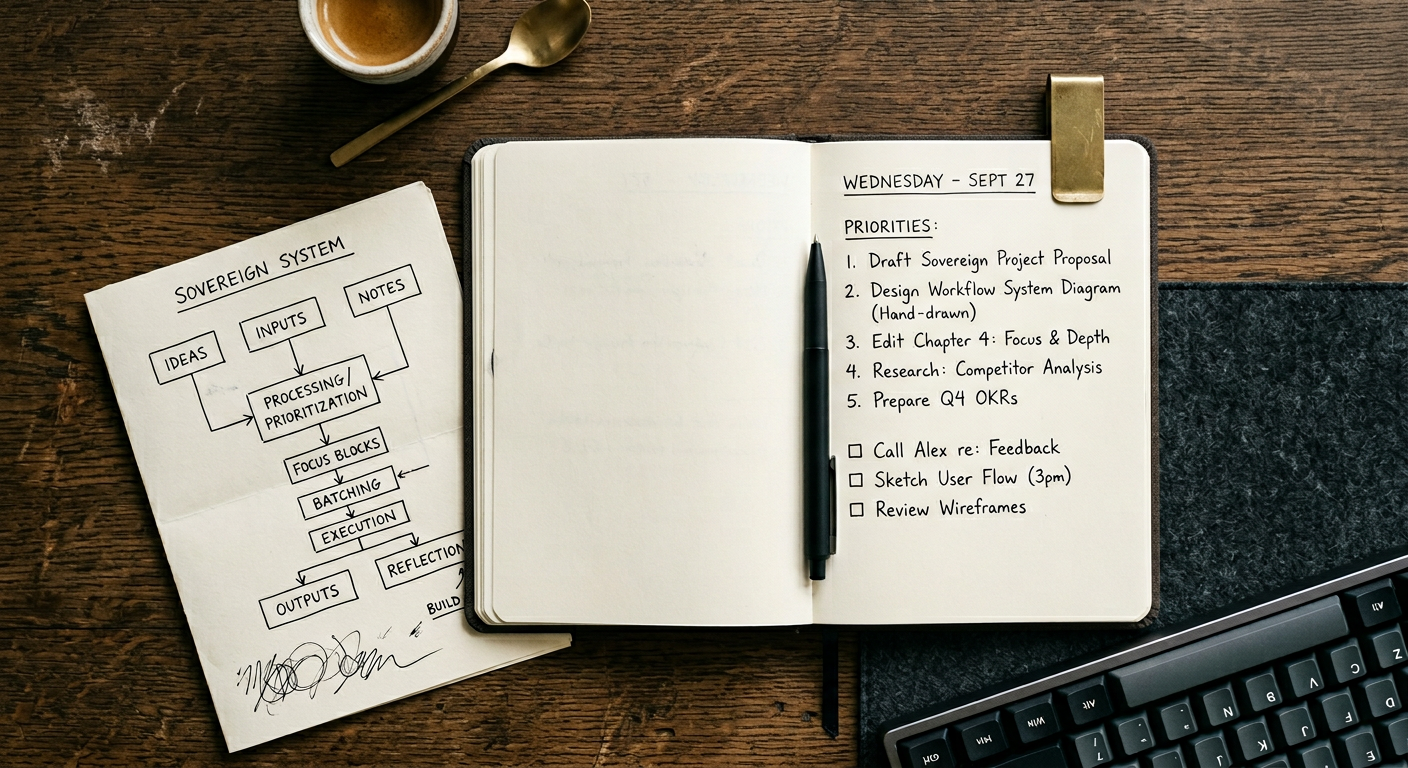
- Begin each day with a written three-item priority list created the night before. Not a full task list. Three items.
- Close every application not relevant to the current task before starting it. Not minimized. Closed.
- Use keyboard shortcuts for everything you do more than five times a day. Mouse movement is slower than you think, and the accumulation matters.
- Name files and folders for future-you, not present-you. The time you spend searching for things you already created is one of the most expensive invisible costs in knowledge work.
The goal is a working environment where the transition from "not working" to "working" takes under thirty seconds. That threshold is not arbitrary. It is the point below which friction stops registering as friction and starts feeling like a clean start.
The Manual Advantage: Deep Expertise in an Automated World
There is something that prompt engineering cannot replace, and it is worth naming directly.
Domain expertise, the kind built through years of working inside a specific system, understanding its failure modes, knowing where the edges are and why, is qualitatively different from the output of a language model trained on general text. AI can generate a plausible answer about almost anything. It cannot tell you why the third stage of your specific process breaks under a particular load condition, or why the client relationship that looks clean on paper is actually fragile.
That knowledge lives in people who have done the work manually, repeatedly, at depth.
The entrepreneurs and professionals who use AI most effectively in 2026 are not the ones who know the best prompts. They are the ones who know their domain well enough to immediately recognize when the output is wrong, incomplete, or subtly off in ways that matter. They use AI to accelerate execution inside a framework they already understand completely.
Manual expertise is not a liability in an automated world. It is the only thing that makes automation trustworthy. Without it, you are delegating decisions to a system you cannot audit, which is a different kind of risk than moving slowly.
The sovereign workflow understands this. It uses automation for the repeatable, the predictable, and the low-stakes. It keeps human judgment, specifically, informed human judgment, in the decisions that compound.
Building the System: Where to Start
A sovereign workflow does not require a total rebuild. It requires three decisions made once and maintained consistently.
First: Define your capture layer.
One place where every task, idea, and commitment lands. Not two places. One. It can be a notebook, a single app, a voice memo folder. The format is less important than the consistency. If you have to think about where to put something, the system is already failing.
Second: Define your daily operating rhythm.
A fixed time for planning, a fixed time for deep work, a fixed time for communication. Not a rigid schedule, a rhythm. Rhythms accommodate the unexpected without losing shape. Most productivity collapses not because of big disruptions but because there is no rhythm to return to after small ones.
Third: Define your weekly review.
One session per week, thirty to sixty minutes, where you look at what happened, what did not, and what the next week needs to contain. This is the maintenance cycle for the entire system. Skip it for two weeks and entropy sets in. Keep it and the system becomes self-correcting.
These three decisions, made cleanly and maintained consistently, create more productive output than any combination of AI tools running on top of a system that was never clearly defined.
Final Thought
AI will keep getting faster. Your system is what determines where all that speed actually goes.